From Designer to Prompt Engineer: AI Reshapes UX
AI design tools are changing UX work — but not how most think. The role isn't disappearing; it's evolving into something that demands new skills.
Every few years, a new tool arrives that prompts someone to declare the death of the UX designer. Desktop publishing was going to eliminate graphic designers. CSS frameworks were going to make visual designers redundant. No-code tools were going to replace UI designers entirely.
None of those predictions came true. The tools changed what designers did, but they didn't eliminate the need for design thinking.
AI design tools are different in degree, but not necessarily in kind. The question worth asking isn't whether AI will replace designers. It's what design looks like when AI handles the parts it's good at — and what that means for the skills that remain genuinely human.
What AI Design Tools Are Actually Good At
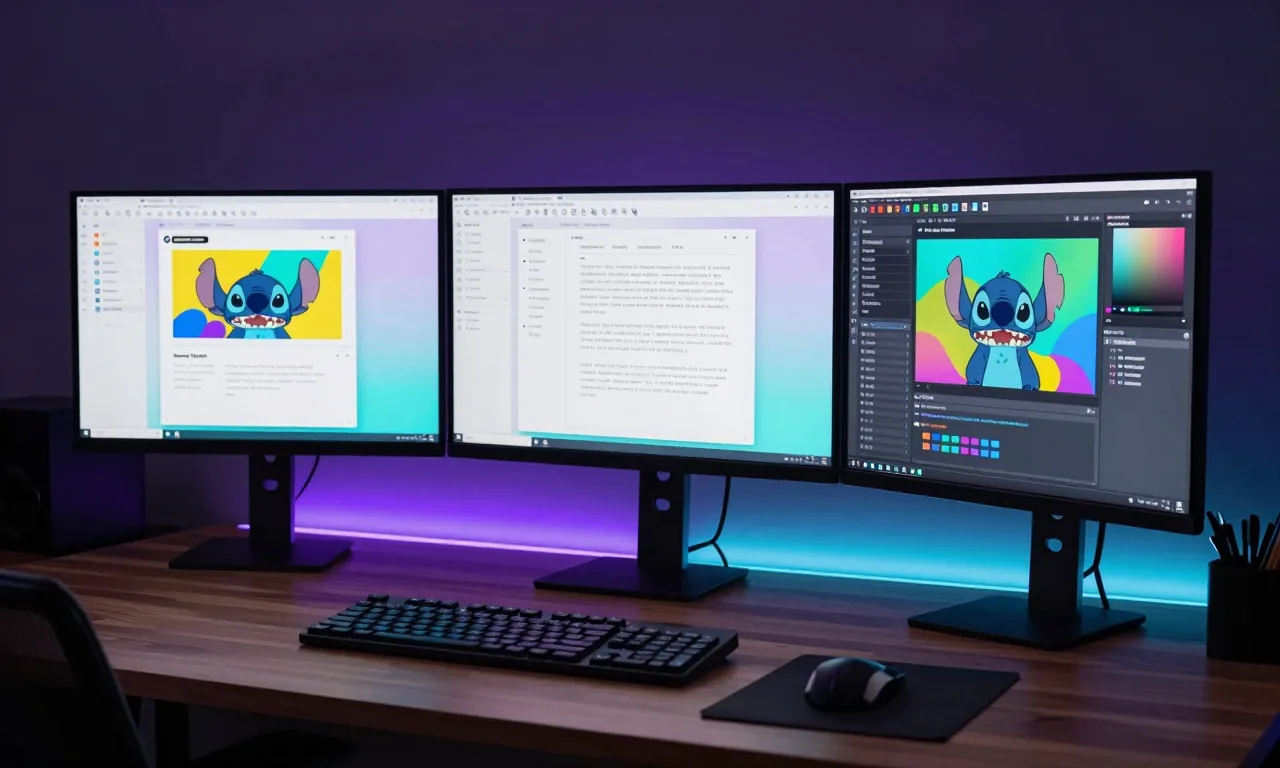
Let's be precise. Current AI design tools — Stitch, Figma AI, v0, Midjourney for visual exploration — are remarkably good at certain things:
Visual generation from description. Feed an AI tool a prompt and a few references and it will produce visually coherent, professionally styled UI in seconds. Quality that would have taken a junior designer hours now takes an AI thirty seconds.
Design system extraction. Point a tool at an existing website and it can extract and replicate the design language — colours, typography, spacing, component patterns. This used to require a skilled designer to document and systematise. Now it's automated.
Rapid iteration. Want to see what the same interface looks like in five different visual styles? AI can generate all five in the time it previously took to design one. Exploration that was cost-prohibitive is now nearly free.
Responsive adaptation. AI-generated UIs are typically responsive by default. The tedious work of adapting desktop designs for mobile is largely handled automatically.
Prototyping. Interactive prototypes that simulate user flows can now be generated directly from AI design tools, without requiring a separate prototyping phase.
These are real capabilities that change the economics of design work substantially. Tasks that previously took days now take hours or minutes.
What AI Design Tools Are Not Good At
This is the more important list.
Understanding users. AI can generate a UI that looks like a registration form. It doesn't know whether your users are elderly people with limited digital literacy, developers who prefer keyboard navigation, or teenagers who expect gestures. User research, persona development, and empathy are still human work.
Defining the right problem. AI optimises for the problem you give it. If you ask it to design a checkout flow, it will design a checkout flow. It won't question whether the checkout friction is actually the real problem, or whether a different business model would eliminate checkout entirely. Strategic framing is a human skill.
Designing for emotion and trust. Some of the most important design decisions are about how something makes people feel — safe, confident, welcomed, excited, calm. AI can mimic design patterns associated with these emotions. Understanding whether the result actually achieves the intended emotional effect requires human judgement.
Accessibility and inclusion. AI-generated designs frequently fail accessibility standards — poor contrast ratios, missing focus states, non-keyboard-navigable interactions, inadequate error messaging. Designing for people with disabilities, different devices, slow connections, and diverse abilities requires deliberate human attention.
Navigating constraints. Real products exist within constraints — technical limitations, brand guidelines, legacy system requirements, regulatory requirements, team capability. AI doesn't know your constraints unless you tell it, and even then it doesn't always reason about them correctly.
Knowing when something is wrong. AI generates with confidence. It produces visually polished output even when the underlying UX logic is flawed. Knowing that a design looks good but violates fundamental usability principles — that's a skill that comes from studying and practising design.
The Skills That Become More Valuable
If AI handles the execution layer of design, what does the designer's job become?
Research and synthesis. Understanding users, synthesising insights, identifying the right problems to solve — these are high-leverage activities that AI cannot do for you. The more AI automates execution, the more valuable the input that directs it becomes.
Design direction and taste. AI can generate a thousand variations. Choosing the right one — knowing what "right" looks like in the context of your product, your users, and your brand — requires developed aesthetic and strategic judgement. Taste is not algorithmic.
Prompting and direction. Describing design intent clearly — knowing how to articulate the feeling, the user need, the visual language, and the constraints in a way that produces good AI output — is a learnable skill. The best practitioners of AI design tools are people who can describe design outcomes precisely.
Critical review. As AI generates more UI, the ability to evaluate that output rigorously — for usability, accessibility, consistency, and strategic fit — becomes more valuable, not less. You need to know what good looks like to catch what AI gets wrong.
Stakeholder communication. Explaining design decisions, advocating for users, navigating the tension between business goals and user needs — this is deeply human work. AI can mock up options. Designers help organisations make good decisions about which option to choose and why.
Systems thinking. Designing a component is easier than designing a coherent system of components that work together across a complex product over time. AI is good at the former. The latter requires sustained human attention and architectural thinking.
What This Looks Like in Practice
A UX designer's day in 2026 looks meaningfully different from 2022 — but not in the way the apocalyptic predictions suggested.
More time is spent on research and problem definition — because execution is faster, there's more capacity to do the upstream thinking properly.
More time is spent on prompting and directing AI tools — getting good output from Google Stitch or v0 requires developing a vocabulary for design intent and knowing how to guide iteration.
More time is spent on reviewing and correcting — AI-generated work needs a human eye. Accessibility audits, usability reviews, consistency checks.
Less time is spent on low-level execution — pixel pushing, creating assets from scratch, manually building out component states.
The job is harder in some ways (more complex decisions, higher-level thinking) and easier in others (faster execution, better tools, more time for meaningful work).
Advice for Designers Navigating This Shift
Get genuinely good at research. User interviews, usability testing, synthesis, insight communication. This is the part of design that AI cannot do, and it's where the highest-leverage work happens.
Learn to work with AI tools, not against them. Use Stitch, Figma AI, v0, and other tools regularly. Develop your prompting vocabulary. Understand what good AI-assisted design looks like and where the tools fall short.
Double down on accessibility. AI-generated design consistently underdelivers on accessibility. Designers who can audit, correct, and advocate for accessible design are filling a gap that's becoming more visible, not less.
Develop your voice and taste. In a world where AI can generate polished-looking design for everyone, the ability to produce work that is distinctively good — with a clear point of view — becomes a differentiator.
Build cross-functional fluency. Designers who understand development constraints, business metrics, and product strategy are more valuable than those who can only design. The boundaries between roles are blurring. The designers who remain indispensable will be the ones who operate effectively across those boundaries.
The Bottom Line
The UX designer role is evolving, not disappearing. The parts of the job that were always the most human — understanding users, defining problems, exercising judgement, advocating for quality — become more important as AI handles more of the execution.
The designers who will struggle are those who defined their value primarily in terms of tool proficiency and visual execution. The designers who will thrive are those who understand why design matters, who it serves, and what makes it good — and who use AI to do more of that work, not to replace the thinking behind it.
How has your UX workflow changed with AI tools? Are you finding more time for the work that matters, or is something else happening? I'd love to hear from designers and developers alike.
Related Reading:
Enjoying this article?
Get posts like this in your inbox. No spam, unsubscribe anytime.