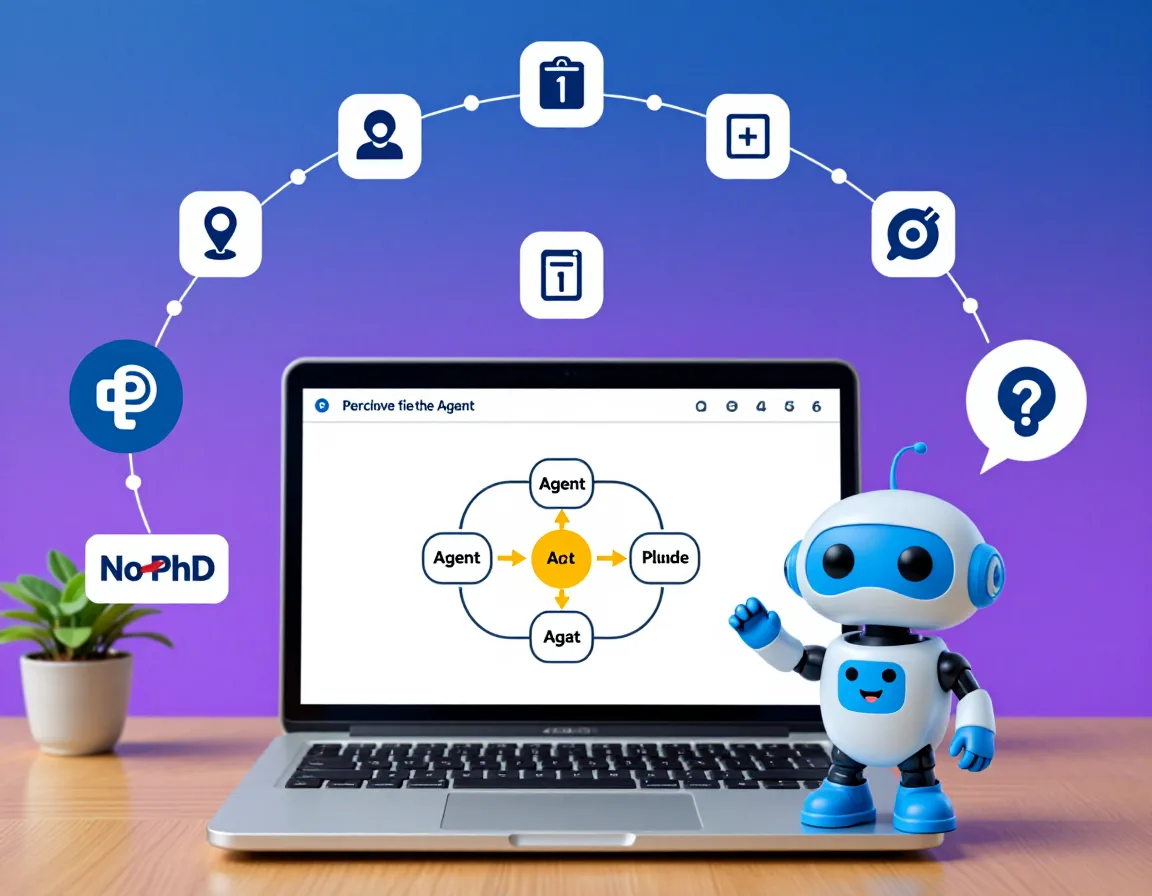
Build Your First AI Agent in 2026: A Beginner Guide
Complete tutorial to build your first AI agent using free tools. Step-by-step guide with full code to create a Personal Research Assistant in 2-3 hours.
You have heard the buzz. AI agents are everywhere in 2026, from research assistants that fetch papers while you sleep to coding agents that debug your applications. Every tech headline screams about autonomous AI systems transforming industries. But here is the thing that nobody tells you: building your first AI agent is not rocket science. You do not need a PhD. You do not need years of machine learning experience. You just need curiosity, basic Python skills, and about 2-3 hours of focused time.
By the end of this tutorial, you will have built a fully functional Personal Research Assistant Agent that can search the web, take notes, summarize findings, and remember your previous conversations. More importantly, you will understand how agents work, which means you can build whatever you imagine next.
What AI Agents Actually Are (Spoiler: Not Sentient Robots)
Let us clear the air. When I say "AI agent," I am not talking about HAL 9000 or Skynet. An AI agent is simply a program that uses a Large Language Model (LLM) as its "brain" to accomplish tasks autonomously. Think of it as the difference between a calculator and an accountant. A calculator (basic LLM) answers when you ask. An accountant (agent) proactively gathers information, makes decisions, and completes tasks without you micromanaging every step.
Here is what makes something an agent versus a chatbot:
| Chatbot | Agent |
|---|---|
| Answers questions | Accomplishes goals |
| Single response | Multiple steps |
| No tools | Uses tools (search, code, APIs) |
| No memory | Remembers context |
| Reactive | Proactive |
Why 2026 Is Your Year to Learn This
Two years ago, building agents required stitching together fragile, undocumented libraries. The tooling was rough. API costs were prohibitive. That has changed dramatically:
Free tiers are generous now. Claude, Grok, and OpenAI all offer free API access sufficient for learning and personal projects.
Frameworks have matured. LangChain, CrewAI, and AutoGen have become stable, well-documented, and beginner-friendly.
The job market demands it. "Agent development" is the fastest-growing skill in software engineering job postings according to LinkedIn's 2026 data.
The concepts transfer everywhere. Once you understand agents, you understand the architecture behind every AI product being built today.
The window for "early adopter advantage" is closing. The developers learning agent architecture now will be the senior engineers and architects of 2028. Let us get you in that group.
What We Are Building: Personal Research Assistant
Our agent will have four core capabilities:
- Web Search - Query the internet for current information
- Note Taking - Store important findings for later reference
- Summarization - Condense lengthy content into key points
- Memory - Remember conversation history and previous research
When complete, you will be able to have conversations like:
You: Research the current state of nuclear fusion energy. Focus on recent breakthroughs.
Agent: I'll research nuclear fusion energy breakthroughs for you.
[Searching: "nuclear fusion breakthrough 2026"]
[Searching: "ITER fusion reactor progress"]
[Searching: "private fusion companies funding"]
Based on my research, here are the key findings:
Recent Breakthroughs
- Commonwealth Fusion achieved net energy gain...
- ITER completed first plasma tests...
Key Companies
- Helion Energy: $2.2B funding, targeting 2028...
- TAE Technologies: Reached 75 million degrees...
Shall I save these notes or dive deeper into any area?
Prerequisites:
- Basic Python knowledge (variables, functions, loops, classes)
- A computer with Python 3.9+ installed
- A free Claude API key (we will set this up together)
- VS Code, Cursor, or any code editor
- Roughly 2-3 hours of focused time
Ready? Let us build.
Understanding AI Agents: The 5-Minute Primer
Before writing code, you need the mental model. Every AI agent follows the same fundamental pattern, regardless of framework or complexity.
The Agent Formula
Agent = LLM + Tools + Memory + GoalLLM (Brain): The language model that reasons, plans, and generates responses. This is Claude, GPT, Grok, or another model.
Tools (Hands): External capabilities the agent can use. Search engines, calculators, APIs, databases, code interpreters.
Memory (Notebook): Storage for conversation history, learned facts, and task progress.
Goal (Mission): What the agent is trying to accomplish. This shapes all its decisions.
The Agent Loop
Every agent operates on a continuous loop:
┌─────────────────────────────────────────┐
│                                         │
│   ┌──────────┐    ┌──────────┐         │
│   │ PERCEIVE │───▶│  THINK   │         │
│   └──────────┘    └──────────┘         │
│        ▲               │               │
│        │               ▼               │
│   ┌──────────┐    ┌──────────┐         │
│   │  LEARN   │◀───│   ACT    │         │
│   └──────────┘    └──────────┘         │
│                                         │
└─────────────────────────────────────────┘- PERCEIVE - Take in new information (user input, tool results)
- THINK - Reason about what to do next (LLM inference)
- ACT - Execute an action (call a tool, respond to user)
- LEARN - Update memory with new information
The agent repeats this loop until the goal is achieved or the user ends the session.
Real-World Agent Examples
Understanding the pattern helps you see agents everywhere:
Research Agent (what we are building): Goal is to answer questions thoroughly. Uses search tools to gather information, memory to track findings, LLM to synthesize answers.
Coding Agent (like Claude Code or Cursor): Goal is to complete coding tasks. Uses file system tools to read/write code, terminal tools to run commands, LLM to plan and generate code.
Scheduling Agent: Goal is to manage your calendar. Uses calendar APIs as tools, memory for preferences, LLM to understand natural language requests.
Same pattern, different tools and goals. Once you build one, you can build any of them.
Choosing Your Tools (Free Tier Focus)
Let us talk about the tech stack. I am recommending specific tools, but I will explain the alternatives so you can make informed choices.
LLM Backend Options
| Provider | Free Tier | Best For |
|---|---|---|
| Claude (Anthropic) | 1M tokens/month | Reasoning, safety, long context |
| Grok (xAI) | 500K tokens/month | Speed, real-time data |
| OpenAI | $5 credit (new users) | Ecosystem, GPT-4 capabilities |
| Groq | 14K tokens/minute | Blazing fast inference |
Agent Framework Options
| Framework | Complexity | Best For |
|---|---|---|
| LangChain | Medium | General purpose, most tutorials |
| CrewAI | Low | Multi-agent collaboration |
| AutoGen | High | Microsoft ecosystem, complex flows |
| Vanilla Python | Low | Learning fundamentals |
What You Need to Install
Here is everything we will use:
Python 3.9+
langchain
langchain-anthropic
langchain-community
duckduckgo-search
python-dotenv
Do not worry about installing these yet. We will do it step by step in the next section.
Project: Personal Research Assistant Agent
Time to write code. Follow along exactly, and you will have a working agent by the end.
Step 1: Environment Setup
First, create a project directory and set up a virtual environment. Open your terminal:
# Create project directory
mkdir research-agent
cd research-agent
# Create virtual environment
python -m venv venv
# Activate it (Windows)
venv\Scripts\activate
# Activate it (macOS/Linux)
source venv/bin/activate
Now create a requirements.txt file with these contents:
langchain>=0.1.0
langchain-anthropic>=0.1.0
langchain-community>=0.0.20
duckduckgo-search>=4.0.0
python-dotenv>=1.0.0
Install the dependencies:
pip install -r requirements.txtNext, get your Claude API key:
- Go to console.anthropic.com
- Sign up or log in
- Navigate to API Keys
- Create a new key
- Copy it somewhere safe
Create a .env file in your project directory:
ANTHROPIC_API_KEY=your-api-key-hereImportant: Add .env to your .gitignore if you plan to use version control. Never commit API keys.
Create the .gitignore file:
.env
venv/
__pycache__/
*.pyc
research_notes.json
Your project structure should look like:
research-agent/
├── venv/
├── .env
├── .gitignore
└── requirements.txt
Step 2: Basic Agent Structure
Create a file called agent.py. We will build this incrementally.
#a5d6ff">"""
Personal Research Assistant Agent
A beginner-friendly AI agent that can search, take notes, and summarize.
"#a5d6ff">""
import os
from dotenv import load_dotenv
from langchain_anthropic import ChatAnthropic
from langchain.agents import AgentExecutor, create_tool_calling_agent
from langchain_core.prompts import ChatPromptTemplate, MessagesPlaceholder
from langchain_core.messages import HumanMessage, AIMessage
# Load environment variables from .env file
load_dotenv()
# Initialize the LLM (Claude)
# We use claude-sonnet-4-6 because it balances capability and cost
llm = ChatAnthropic(
model=#a5d6ff">"claude-sonnet-4-6",
temperature=0.7, # Slightly creative but still focused
max_tokens=4096 # Enough for detailed responses
)
# Define the agent's personality and instructions
SYSTEM_PROMPT = "#a5d6ff">""You are a helpful Personal Research Assistant. Your job is to help users
research topics thoroughly and organize their findings.
Your capabilities:
1. Search the web for current information
2. Take notes on important findings
3. Summarize and synthesize information
4. Remember previous conversations in this session
Guidelines:
- Always cite your sources when presenting research
- If you#a5d6ff">'re unsure about something, say so
- Break complex topics into digestible sections
- Ask clarifying questions if the research request is vague
- Proactively suggest related topics the user might find interesting
When researching:
1. First, understand what the user wants to know
2. Search for relevant, recent information
3. Organize findings into clear sections
4. Highlight key insights and trends
5. Offer to dive deeper into specific areas
"#a5d6ff">""
# Create the prompt template
# MessagesPlaceholder allows for conversation history
prompt = ChatPromptTemplate.from_messages([
(#a5d6ff">"system", SYSTEM_PROMPT),
MessagesPlaceholder(variable_name=#a5d6ff">"chat_history"),
(#a5d6ff">"human", "{input}"),
MessagesPlaceholder(variable_name=#a5d6ff">"agent_scratchpad")
])
Let me explain what each part does:
load_dotenv() - Loads your API key from the .env file into environment variables. This keeps secrets out of your code.
ChatAnthropic - The LangChain wrapper for Claude. We configure:
model: Which Claude model to usetemperature: 0 is deterministic, 1 is creative. 0.7 is a good balance.max_tokens: Maximum response length
SYSTEM_PROMPT - This is crucial. It defines your agent's personality, capabilities, and behavior. A well-crafted system prompt is the difference between a useful agent and a frustrating one. If you want to master this skill, our prompt engineering guide covers the techniques in depth.
ChatPromptTemplate - Structures how messages flow to the LLM:
- System message sets the context
- Chat history provides conversation memory
- Human message is the current user input
- Agent scratchpad is where the agent tracks its reasoning
Step 3: Adding Tools
Tools are what transform a chatbot into an agent. Let us add three tools: web search, note-taking, and summarization.
Add this code to agent.py:
import json
from datetime import datetime
from langchain_core.tools import tool
from langchain_community.tools import DuckDuckGoSearchResults
# Tool 1: Web Search
# DuckDuckGo is free and doesn't require an API key
search = DuckDuckGoSearchResults(
    name="web_search#a5d6ff">",
    description="Search the web for current information. Use this when you need up-to-date facts, news, or research.#a5d6ff">",
    num_results=5
)
# Tool 2: Note Taking
# We'll store notes in a JSON file for persistence
NOTES_FILE = #a5d6ff">"research_notes.json"
def load_notes():
    #a5d6ff">"""Load existing notes from file."""
    if os.path.exists(NOTES_FILE):
        with open(NOTES_FILE, #a5d6ff">'r') as f:
            return json.load(f)
    return {#a5d6ff">"notes": []}
def save_notes(notes_data):
    #a5d6ff">"""Save notes to file."""
    with open(NOTES_FILE, #a5d6ff">'w') as f:
        json.dump(notes_data, f, indent=2)
@tool
def take_note(title: str, content: str, tags: str = #a5d6ff">"") -> str:
    #a5d6ff">"""
    Save a research note for future reference.
Args:
        title: Brief title for the note
        content: The note content to save
        tags: Comma-separated tags for organization (optional)
Returns:
        Confirmation message
    "#a5d6ff">""
    notes_data = load_notes()
note = {
        #a5d6ff">"id": len(notes_data["notes"]) + 1,
        #a5d6ff">"title": title,
        #a5d6ff">"content": content,
        #a5d6ff">"tags": [t.strip() for t in tags.split(",") if t.strip()],
        #a5d6ff">"created_at": datetime.now().isoformat()
    }
notes_data[#a5d6ff">"notes"].append(note)
    save_notes(notes_data)
return f#a5d6ff">"Note saved: '{title}' (ID: {note['id']})"
@tool
def view_notes(tag_filter: str = #a5d6ff">"") -> str:
    #a5d6ff">"""
    View saved research notes.
Args:
        tag_filter: Optional tag to filter notes (leave empty for all notes)
Returns:
        Formatted list of notes
    "#a5d6ff">""
    notes_data = load_notes()
    notes = notes_data[#a5d6ff">"notes"]
if not notes:
        return #a5d6ff">"No notes saved yet."
# Filter by tag if specified
    if tag_filter:
        notes = [n for n in notes if tag_filter.lower() in [t.lower() for t in n[#a5d6ff">"tags"]]]
        if not notes:
            return f#a5d6ff">"No notes found with tag: {tag_filter}"
# Format notes for display
    output = []
    for note in notes:
        tags_str = #a5d6ff">", ".join(note["tags"]) if note["tags"] else "none"
        output.append(f#a5d6ff">"""

Note #{note['id']}: {note['title']}
Tags: {tags_str}
Created: {note['created_at#a5d6ff">'][:10]}
{note['content#a5d6ff">']}
"#a5d6ff">"")
return #a5d6ff">"\n".join(output)
@tool
def clear_notes() -> str:
    #a5d6ff">"""
    Clear all saved notes. Use with caution.
Returns:
        Confirmation message
    "#a5d6ff">""
    save_notes({#a5d6ff">"notes": []})
    return #a5d6ff">"All notes have been cleared."
# Tool 3: Summarization
# This tool uses the LLM itself to summarize content
@tool
def summarize_text(text: str, style: str = #a5d6ff">"bullet_points") -> str:
    #a5d6ff">"""
    Summarize a piece of text.
Args:
        text: The text to summarize
        style: Summary style - 'bullet_points#a5d6ff">', 'paragraph', or 'eli5' (explain like I'm 5)
Returns:
        Summarized text
    #a5d6ff">"""
    style_instructions = {
        "bullet_points#a5d6ff">": "Summarize in 5-7 concise bullet points.",
        "paragraph#a5d6ff">": "Summarize in a single, well-written paragraph.",
        "eli5#a5d6ff">": "Explain this simply, as if to a curious 5-year-old."
    }
instruction = style_instructions.get(style, style_instructions["bullet_points#a5d6ff">"])
# Use the LLM to generate the summary
    summary_prompt = f"#a5d6ff">""Please summarize the following text. {instruction}
Text to summarize:
{text}
Summary:#a5d6ff">"""
response = llm.invoke(summary_prompt)
    return response.content
# Collect all tools
tools = [search, take_note, view_notes, clear_notes, summarize_text]
Let me break down each tool:
Web Search (DuckDuckGoSearchResults):
- Uses DuckDuckGo's free search API
- No API key required
- Returns titles, snippets, and URLs
- The
num_results=5limits results to keep responses focused
Note Taking (take_note, view_notes, clear_notes):
- The
@tooldecorator transforms a function into a LangChain tool - Docstrings become the tool descriptions the agent reads
- Notes persist to a JSON file so they survive restarts
- Tags allow organization (e.g., "fusion", "quantum", "climate")
Summarization (summarize_text):
- Uses the LLM itself as a tool (meta, I know)
- Offers multiple styles for different use cases
- ELI5 mode is great for complex topics
Step 4: Implementing Memory
Memory is what makes agents feel intelligent. Without it, every message is a fresh start. Add this to agent.py:
from langchain_community.chat_message_histories import ChatMessageHistory
from langchain_core.runnables.history import RunnableWithMessageHistory
# Create a store for session histories
# In production, you'd use Redis or a database
session_histories = {}
def get_session_history(session_id: str) -> ChatMessageHistory:
    "#a5d6ff">""
    Get or create a chat history for a session.
This allows multiple users/sessions to have independent conversations.
    #a5d6ff">"""
    if session_id not in session_histories:
        session_histories[session_id] = ChatMessageHistory()
    return session_histories[session_id]
# Create the agent with tool-calling capability
agent = create_tool_calling_agent(llm, tools, prompt)
# Create the agent executor (this runs the agent loop)
agent_executor = AgentExecutor(
    agent=agent,
    tools=tools,
    verbose=True,  # Set to True to see the agent's reasoning
    max_iterations=10,  # Prevent infinite loops
    handle_parsing_errors=True  # Gracefully handle LLM output issues
)
# Wrap with message history for memory
agent_with_memory = RunnableWithMessageHistory(
    agent_executor,
    get_session_history,
    input_messages_key=#a5d6ff">"input",
    history_messages_key=#a5d6ff">"chat_history"
)
Key concepts:
ChatMessageHistory - Stores the back-and-forth of a conversation. Each message is tagged as Human or AI.
session_histories - A dictionary that maps session IDs to their chat histories. This lets you have multiple independent conversations.
AgentExecutor - This is the engine that runs the agent loop:
- Takes user input
- Asks the LLM what to do
- Executes any tool calls
- Feeds results back to the LLM
- Repeats until the LLM generates a final response
verbose=True - This prints the agent's reasoning to the console. Incredibly useful for learning and debugging. Turn it off in production.
max_iterations=10 - Safety limit. If the agent has not finished after 10 tool calls, something is wrong. This prevents runaway loops and API costs.
Step 5: The Agent Loop
Now let us create the main interaction loop. Add this to the end of agent.py:
def chat(user_input: str, session_id: str = #a5d6ff">"default") -> str:
    #a5d6ff">"""
    Send a message to the agent and get a response.
Args:
        user_input: The user's message
        session_id: Unique identifier for this conversation
Returns:
        The agent#a5d6ff">'s response
    "#a5d6ff">""
    response = agent_with_memory.invoke(
        {#a5d6ff">"input": user_input},
        config={#a5d6ff">"configurable": {"session_id": session_id}}
    )
    return response[#a5d6ff">"output"]
def main():
    #a5d6ff">"""Main function to run the interactive agent."""
    print(#a5d6ff">"=" * 60)
    print(#a5d6ff">"PERSONAL RESEARCH ASSISTANT")
    print(#a5d6ff">"=" * 60)
    print(#a5d6ff">"\nHello! I'm your Personal Research Assistant.")
    print("I can search the web, take notes, and summarize information.#a5d6ff">")
    print("\nCommands:#a5d6ff">")
    print("  Type your research questions naturally#a5d6ff">")
    print("  Type #a5d6ff">'notes' to view saved notes")
    print("  Type #a5d6ff">'clear' to clear notes")
    print("  Type #a5d6ff">'quit' or 'exit' to end the session")
    print("=#a5d6ff">" * 60)
session_id = f"session_{datetime.now().strftime(#a5d6ff">'%Y%m%d_%H%M%S')}"
while True:
        try:
            # Get user input
            user_input = input("\nYou: #a5d6ff">").strip()
# Handle exit commands
            if user_input.lower() in ['quit#a5d6ff">', 'exit', 'q']:
                print("\nGoodbye! Your notes have been saved.#a5d6ff">")
                break
# Handle empty input
            if not user_input:
                print("Please enter a question or command.#a5d6ff">")
                continue
# Quick commands
            if user_input.lower() == 'notes#a5d6ff">':
                print("\n#a5d6ff">" + view_notes.invoke({"tag_filter": ""}))
                continue
if user_input.lower() == 'clear#a5d6ff">':
                print("\n#a5d6ff">" + clear_notes.invoke({}))
                continue
# Process with agent
            print("\nAssistant: #a5d6ff">", end="")
            response = chat(user_input, session_id)
            print(response)
except KeyboardInterrupt:
            print("\n\nSession interrupted. Goodbye!#a5d6ff">")
            break
        except Exception as e:
            print(f"\nError: {e}#a5d6ff">")
            print("Please try again or rephrase your question.#a5d6ff">")
if __name__ == "__main__":
    main()
What happens in the loop:
- Session creation - Each run gets a unique session ID based on timestamp
- Input handling - We clean up whitespace and handle special commands
- Quick commands -
notesandclearbypass the agent for instant results - Agent processing - Real questions go through the full agent loop
- Error handling - Graceful recovery from API errors or parsing issues
Step 6: Testing Your Agent
Your complete agent.py should now be around 250 lines. Let us test it:
python agent.pyYou should see the welcome message. Try these example queries:
Basic Search:
You: What are the latest developments in AI agents in 2026?The agent should search, find results, and present a summary.
Note Taking:
You: Save a note about AI agents with the tag "ai"Follow-up (tests memory):
You: Tell me more about the second point you mentionedComplex Research:
You: Research how solar panel efficiency has improved in the last 2 years.
     Focus on perovskite technology. Save any important findings.
Debugging Tips:
If you see verbose=True output, you can watch the agent think:
> Entering new AgentExecutor chain...
Invoking: web_search with {'query': 'solar panel perovskite efficiency 2024 2025'}
[Search results appear here]
Thought: I found several relevant articles. Let me search for more specific data...
Invoking: web_search with {'query': 'perovskite solar cell efficiency record'}
...
Common Issues:
"API key not found" - Check your .env file and make sure it is in the same directory where you run the script.
"Rate limit exceeded" - You have hit the free tier limit. Wait an hour or upgrade your plan.
Agent stuck in loop - The max_iterations=10 should catch this, but if not, Ctrl+C to interrupt.
Making It Useful: Practical Enhancements
Your agent works! Here are quick upgrades to make it genuinely useful.
Save Research to Markdown
Add this tool to export notes as a formatted document:
@tool
def export_research(filename: str, title: str = #a5d6ff">"Research Notes") -> str:
    #a5d6ff">"""
    Export all notes to a markdown file.
Args:
        filename: Name for the export file (without extension)
        title: Title for the document
Returns:
        Confirmation with file path
    "#a5d6ff">""
    notes_data = load_notes()
if not notes_data[#a5d6ff">"notes"]:
        return #a5d6ff">"No notes to export."
markdown = f#a5d6ff">"# {title}\n\n"
    markdown += f#a5d6ff">"Generated: {datetime.now().strftime('%Y-%m-%d %H:%M')}\n\n"
for note in notes_data[#a5d6ff">"notes"]:
        markdown += f#a5d6ff">"## {note['title']}\n\n"
        markdown += f#a5d6ff">"{note['content']}\n\n"
        if note[#a5d6ff">'tags']:
            markdown += f#a5d6ff">"Tags: {', '.join(note['tags'])}\n\n"
        markdown += #a5d6ff">"---\n\n"
filepath = f#a5d6ff">"{filename}.md"
    with open(filepath, #a5d6ff">'w') as f:
        f.write(markdown)
return f#a5d6ff">"Research exported to: {filepath}"
Add Source Tracking
Modify the search result handling to track URLs:
@tool
def search_with_sources(query: str) -> str:
    #a5d6ff">"""
    Search the web and return results with source URLs.
Args:
        query: What to search for
Returns:
        Search results with clickable sources
    "#a5d6ff">""
    results = search.invoke(query)
# The agent can now cite these sources
    return f#a5d6ff">"Search results for '{query}':\n\n{results}\n\nRemember to cite these sources in your response."
Schedule Automated Research
For recurring research, you could wrap the agent in a scheduler:
# This is a conceptual example - requires additional setup
import schedule
import time
def daily_research():
    #a5d6ff">"""Run automated daily research on predefined topics."""
    topics = [
        #a5d6ff">"AI agent frameworks news",
        #a5d6ff">"Python library updates",
    ]
for topic in topics:
        response = chat(f#a5d6ff">"Quick search: {topic}", session_id="automated")
        # Could email results or save to a file
# schedule.every().day.at("09:00").do(daily_research)
Common Mistakes and How to Fix Them
After helping hundreds of people build their first agents, these are the issues I see most often.
Agent Gets Stuck in Loops
Symptom: Agent keeps calling the same tool repeatedly.
Cause: Usually a vague prompt or the agent cannot find what it needs.
Fix:
- Be more specific in your requests
- Lower
max_iterationsto fail faster - Add better error messages in tool responses
# Better tool response for no results
if not results:
    return #a5d6ff">"No results found. Try a different search query or broader terms."
Tool Selection Errors
Symptom: Agent uses the wrong tool or no tool at all.
Cause: Tool descriptions are unclear to the LLM.
Fix: Write better tool docstrings. Be explicit about when to use each tool.
# Bad description
#a5d6ff">"""Search the web."""
# Good description
#a5d6ff">"""Search the web for current information. Use this when you need up-to-date
facts, recent news, or information that might have changed since your training.
Do NOT use for general knowledge questions you already know."#a5d6ff">""
Memory Overflow
Symptom: Responses get slow or errors about context length.
Cause: Too much conversation history.
Fix: Implement a sliding window:
def get_session_history(session_id: str) -> ChatMessageHistory:
    if session_id not in session_histories:
        session_histories[session_id] = ChatMessageHistory()
history = session_histories[session_id]
# Keep only last 20 messages
    if len(history.messages) > 20:
        history.messages = history.messages[-20:]
return history
API Rate Limits
Symptom: 429 Too Many Requests errors.
Cause: Hitting the free tier limits.
Fix: Add retry logic with exponential backoff:
import time
from tenacity import retry, stop_after_attempt, wait_exponential
@retry(stop=stop_after_attempt(3), wait=wait_exponential(multiplier=1, min=4, max=60))
def chat_with_retry(user_input: str, session_id: str) -> str:
    return chat(user_input, session_id)
Hallucination Handling
Symptom: Agent makes up information not in search results.
Cause: LLMs sometimes fill gaps creatively.
Fix: Add explicit instructions in your system prompt:
SYSTEM_PROMPT = #a5d6ff">"""...
IMPORTANT: Only state facts that come directly from your tool results.
If you cannot find information, say "I could not find information about X#a5d6ff">"
rather than guessing. Accuracy is more important than comprehensiveness.
..."#a5d6ff">""
Next Steps: Level Up Your Agent Skills
You have built a working agent. Here is where to go next.
Multi-Agent Systems
Single agents are powerful. Multiple agents collaborating are transformative. CrewAI makes this accessible:
from crewai import Agent, Task, Crew
researcher = Agent(
    role=#a5d6ff">'Research Analyst',
    goal=#a5d6ff">'Find comprehensive information',
    backstory=#a5d6ff">'Expert at finding and analyzing information'
)
writer = Agent(
    role=#a5d6ff">'Content Writer',
    goal=#a5d6ff">'Create clear, engaging content',
    backstory=#a5d6ff">'Skilled at transforming research into readable content'
)
crew = Crew(agents=[researcher, writer], tasks=[...])
More Powerful Tools
Once comfortable, add tools for:
- Code execution - Let agents write and run Python
- API integration - Connect to Notion, Slack, Gmail
- File operations - Read PDFs, analyze spreadsheets
- Database queries - Natural language to SQL
Production Deployment
Moving beyond local development:
- LangServe - Deploy agents as APIs
- LangSmith - Monitor and debug production agents
- Vector databases - Pinecone, Weaviate for semantic memory
Agent Evaluation
How do you know if your agent is actually good?
- LangSmith evaluations - Automated testing suites
- Human feedback loops - Track user corrections
- Benchmark datasets - Test against known good answers
Resources for Continued Learning
Official Documentation:
Courses:
- DeepLearning.AI's "Building AI Agents" (free)
- LangChain Academy (free)
Communities:
- r/LangChain on Reddit
- LangChain Discord
- AI agent builders on Twitter/X
What You Have Accomplished
Take a moment to appreciate what you just built. Your Personal Research Assistant can:
- Understand natural language research requests
- Autonomously search the web for information
- Take and organize notes with tags
- Summarize complex content in multiple styles
- Remember your conversation history
- Export findings to shareable documents
This is not a toy demo. This is the same architecture powering commercial AI products. The difference between your agent and a startup's product is polish, scale, and specialized tools, not fundamental capability.
The Agent-Building Mindset
More valuable than the code is the mental model you have developed:
Agent = LLM + Tools + Memory + GoalEvery AI agent you encounter, from research assistants to coding copilots to autonomous vehicles, follows this pattern. You now understand it from the inside.
Your Challenge
Here is my challenge to you: in the next week, add one new tool to your agent. Maybe it is:
- A weather API for location-aware research
- A calendar integration for scheduling follow-ups
- A translation tool for international research
- An image search capability
Building is learning. The more tools you add, the deeper your understanding becomes.
Share Your Work
Built something cool? I would love to see it:
- Post your agent on GitHub with a clear README
- Share what you learned on Twitter/X with #FirstAIAgent
- Write about your experience, your struggles, your breakthroughs
The AI agent community grows stronger when builders share. Your beginner perspective is valuable because you remember what was confusing, what clicked, what could be explained better.
Next Steps With Your Code
You now have a complete, runnable agent. Here is what to do next:
Organize your code:
- Keep your
agent.pyas the foundation - Create a
requirements.txtfor easy setup on other machines - Add a
README.mddocumenting how to run it - Consider sharing it on GitHub to help others learn
The repository should include:
- Complete
agent.pywith all enhancements requirements.txtfor easy setup- Example research sessions in the README
- Notes on what you learned and any issues you solved
Clone it, modify it, break it, fix it. That is how you learn.
Welcome to the world of AI agents. It is 2026, and you are no longer just watching the AI revolution. You are building it.
Now go make something amazing.
Related Reading:
Enjoying this article?
Get posts like this in your inbox. No spam, unsubscribe anytime.